Similar items, scattered records
A long hardware catalogue can be difficult to work through when product information is split between registers and spreadsheets.
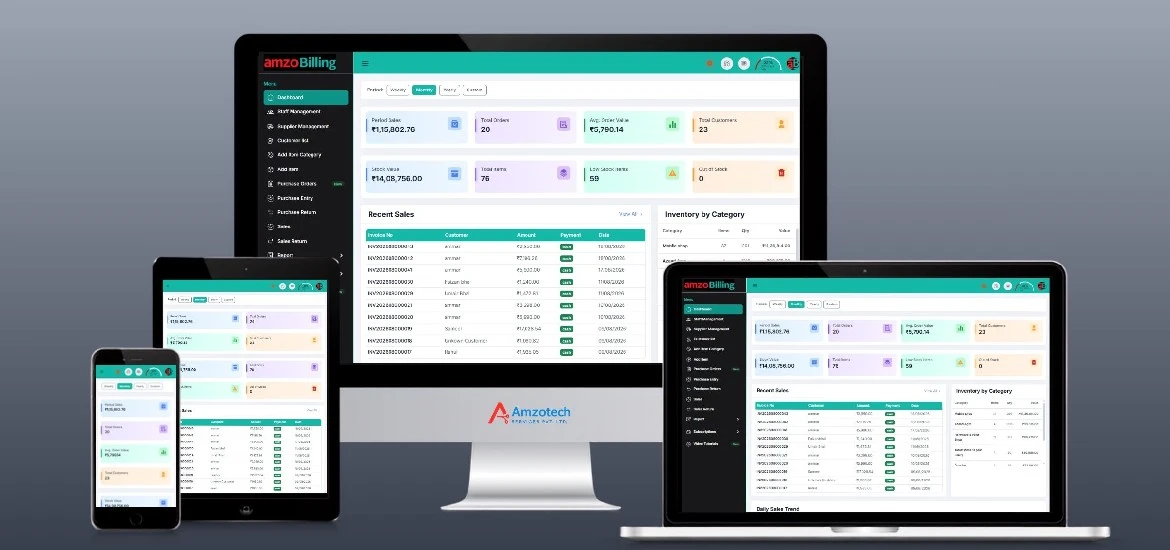
General product preview, not an industry-specific interface. Displayed figures are examples, not customer results.
A long hardware catalogue can be difficult to work through when product information is split between registers and spreadsheets.
Your catalogue may include items bought or sold in different units. Item setup needs to reflect the way your counter actually works.
An invoice is only part of a credit sale. Staff also need the customer balance and payment history for the next conversation.
Maintain item records and inventory in one place. Use supported Excel bulk import to prepare a larger catalogue, and barcode labels where they fit your process.
Use primary and secondary units. Ask the team to demonstrate item configuration using the unit relationships in your hardware business.
Prepare quotations, sales invoices and delivery challans. Use retail, wholesale or dealer pricing, POS billing and sales returns as required.
Review customer balances, credit limits, payment terms and ledger statements. Keep supplier purchases, payments and purchase returns alongside them.
Follow a hardware item from its purchase record to a counter sale, then review the customer or supplier account.
Discuss Your WorkflowAdd or import your items, review primary and secondary units, and configure the pricing you use for retail or trade customers.
Create purchase entries, then prepare a quotation, sales invoice or POS bill for the items being sold.
Record payments and returns. Use inventory, item-wise and ledger reports to review what happened after the sale.
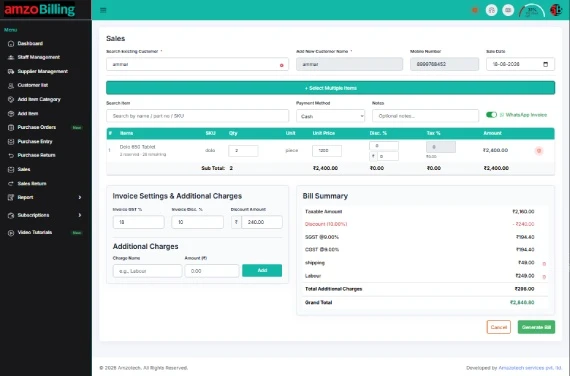
Bring a typical hardware sale, a unit example and a trade customer balance to your demonstration.
Request a DemonstrationOpen amzoBilling in a browser with an internet connection. Explore the web workspace and the setup that fits your business.
Web access requires internet.Selected workflows are supported offline in the Windows application, with synchronization when connectivity returns. Some actions require internet.
Confirm supported Windows versions and exact workflows in your demo.Ask us to demonstrate what works offline, which actions require internet and how reconnection is handled for your setup.
Tell us which features and workflows you need. Ask for current subscription prices, plan inclusions and setup requirements.
No payment is collected on this page.
Yes. Retail, wholesale and dealer pricing are supported. Ask the team to demonstrate how the relevant price is selected during your sales workflow.
Yes. Primary and secondary units are supported. Bring examples of how you buy and sell your items so the required configuration can be checked in the demo.
Yes. Customer accounts include outstanding balances, payments, credit limits, payment terms and ledger statements.
Sales returns, purchase orders, purchase entries and purchase returns are supported. Demonstrate your return process with the team before setup.
Bulk item import using Excel is supported. Confirm the required columns, file format and item/unit setup before preparing an import.
Selected workflows work offline in the Windows desktop application, with synchronization after reconnection. Some actions require internet. Ask for a demonstration of the exact offline actions, internet-required features and synchronization behaviour for your setup.
Use a Book a Demo or Request Pricing link to open WhatsApp with a prepared enquiry, or call +91 81496 20255. Nothing is sent automatically, and an enquiry does not confirm an appointment. Ask the team for current plan inclusions and prices.
Quotations, delivery challans, stock units, supplier purchases and trade customer balances.
Explore Building MaterialsSerial/IMEI records, purchase-cycle history, counter billing and customer accounts.
Explore Mobile ShopsBring a typical sale, an inventory question or a customer balance scenario. Let’s walk through the relevant workflow.
Demo enquiries open WhatsApp with a prepared message. Nothing is sent until you choose to send it. We use the details you share to respond to your enquiry. Privacy Policy.