A catalogue that takes effort to maintain
As new items arrive, separate lists and manual labels can make it difficult to keep item information organized for the counter.
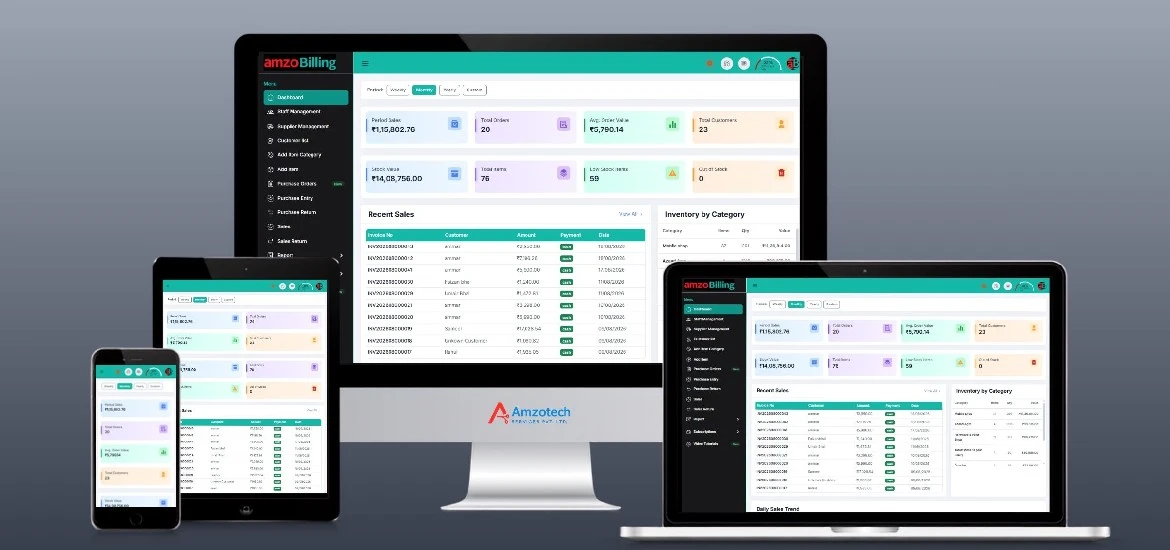
General product preview, not an industry-specific interface. Displayed figures are examples, not customer results.
As new items arrive, separate lists and manual labels can make it difficult to keep item information organized for the counter.
When return details are maintained elsewhere, staff need extra steps to review what happened to an item after the original sale.
Buying decisions need clear records of purchases and item-wise sales, rather than an overall sales total alone.
Maintain item records and use supported Excel bulk import. Discuss how your garment descriptions, sizes and colours should be recorded in the available item setup.
Use barcode label printing and POS billing. Configure your business branding and supported invoice or receipt formats.
Use retail, wholesale or dealer prices where relevant. Record sales returns within the product's sales workflow.
Review inventory, sales, purchase and item-wise reports. Maintain supplier purchases, payments and outstanding balances.
Start with the way you describe and label your items, then walk through a counter bill and a return.
Discuss Your WorkflowPrepare item details or a supported Excel import. Check how the available fields fit your garment catalogue and pricing.
Review barcode label formats and printer compatibility. Walk through a POS sale and your preferred receipt or invoice format.
Follow a sales return, review item-wise sales and inventory reports, and check supplier balances after incoming purchases.
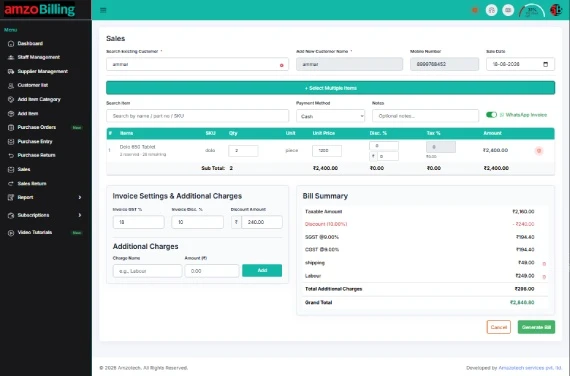
Bring a few garment item descriptions, your preferred label format and a typical return scenario to the demonstration.
Request a DemonstrationOpen amzoBilling in a browser with an internet connection. Explore the web workspace and the setup that fits your business.
Web access requires internet.Selected workflows are supported offline in the Windows application, with synchronization when connectivity returns. Some actions require internet.
Confirm supported Windows versions and exact workflows in your demo.Ask us to demonstrate what works offline, which actions require internet and how reconnection is handled for your setup.
Tell us which features and workflows you need. Ask for current subscription prices, plan inclusions and setup requirements.
No payment is collected on this page.
An automatic size-and-colour variant matrix has not been verified. Item records and Excel import are supported; discuss your catalogue structure and the available fields with the team.
Barcode labels and configurable invoice/receipt formats are supported. Confirm your printer model, label size and preferred document format during the demo.
Sales returns are supported. Dedicated exchange, store-credit and refund rules have not been confirmed, so ask the team to demonstrate the scenarios you use.
Sales, inventory and item-wise reports are supported. Review the available filters and report output with the team rather than assuming a separate fashion or seasonal analytics module.
Yes. Bulk item import using Excel is supported. Request the required file format and confirm the fields used for your garment descriptions before preparing the list.
Selected workflows work offline in the Windows desktop application, with synchronization after reconnection. Some actions require internet. Ask for a demonstration of the exact offline actions, internet-required features and synchronization behaviour for your setup.
Use a Book a Demo or Request Pricing link to open WhatsApp with a prepared enquiry, or call +91 81496 20255. Nothing is sent automatically, and an enquiry does not confirm an appointment. Ask the team for current plan inclusions and prices.
Serial/IMEI records, purchase-cycle history, counter billing and customer accounts.
Explore Mobile ShopsItem records, stock units, trade pricing and customer dues for the hardware counter.
Explore Hardware & ToolsBring a typical sale, an inventory question or a customer balance scenario. Let’s walk through the relevant workflow.
Demo enquiries open WhatsApp with a prepared message. Nothing is sent until you choose to send it. We use the details you share to respond to your enquiry. Privacy Policy.